
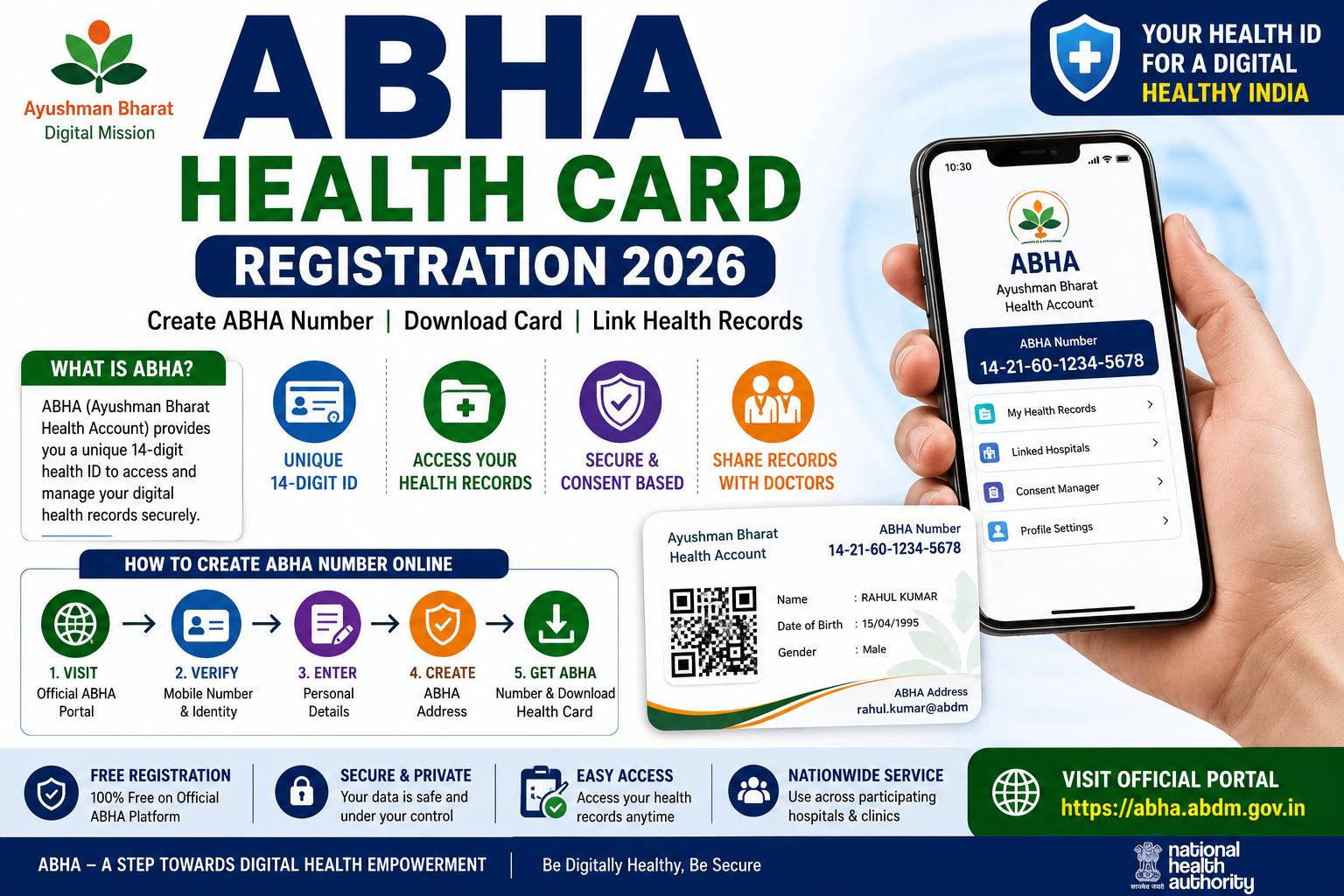
ABHA Health Card Registration 2026
India’s healthcare system is gradually becoming more digital, allowing citizens to access and manage their health information more conveniently. One of the key services introduced under the Ayushman Bharat Digital Mission (ABDM) is the Ayushman Bharat Health Account, commonly known as ABHA.
An ABHA Number is a unique 14-digit health identification number that allows an individual to participate in India’s digital healthcare ecosystem. Citizens can use it to link and access health records and share them with healthcare providers after giving consent. (Ayushman Bharat Digital Mission)
It is important to understand that an ABHA account is primarily a digital health identity and record-management facility. It should not be confused with an Ayushman Bharat PM-JAY beneficiary card, which relates to eligibility for cashless hospitalization benefits.
This guide explains how to create an ABHA Health Card in 2026, its benefits, eligibility, required details, registration procedure, card download process, record linking, and important safety information.
ABHA Health Card 2026 – Overview
| Particular | Details |
|---|---|
| Service Name | Ayushman Bharat Health Account |
| Short Name | ABHA |
| Mission | Ayushman Bharat Digital Mission |
| Implementing Authority | National Health Authority |
| ABHA Number | Unique 14-digit number |
| Category | Government Services |
| Registration Mode | Online or assisted registration |
| Main Purpose | Digital health identity and health-record access |
| Official Portal | ABHA portal under ABDM |
| Registration Fee | No fee on the official portal |
What Is an ABHA Health Card?
An ABHA Health Card is a downloadable representation of an individual’s ABHA Number. The account helps identify a person within the ABDM digital healthcare network.
Through the ABHA system, an individual may be able to:
- Create a unique digital health identity
- Link health records from participating facilities
- Access available health records digitally
- Share records with healthcare providers after consent
- Maintain health information across participating institutions
- Manage linked records through the ABHA application
The official ABHA mobile application provides users with a longitudinal view of linked health records and allows consent-based sharing through the ABDM network. (Google Play)
ABHA Number and ABHA Address
Users may encounter two related terms during registration:
ABHA Number
The ABHA Number is a unique 14-digit identification number used to identify a participant in India’s digital health ecosystem. (ABHA)
ABHA Address
An ABHA Address is a user-created digital identifier that may look similar to an email address. It can be used for discovering, linking, and sharing health records through participating digital health services.
The exact options shown during registration may depend on the current version of the official portal or application.
Benefits of Creating an ABHA Account
Creating an ABHA account may provide the following benefits:
- A unique digital health identity
- Easier access to linked health records
- Consent-based sharing of records
- Reduced need to carry multiple physical reports
- Better continuity of care across participating hospitals
- Access to compatible digital healthcare services
- Easier management of prescriptions, reports, and discharge summaries where supported
ABHA allows individuals to link and share health records through the ABDM ecosystem. (Ayushman Bharat Digital Mission)
Is ABHA the Same as Ayushman Card?
No. These are different services.
| ABHA Health Account | Ayushman Bharat PM-JAY Card |
|---|---|
| Digital health identity | Health-benefit eligibility card |
| Helps link and manage health records | Used by eligible beneficiaries for covered hospitalization |
| Available as part of ABDM | Issued under the PM-JAY scheme |
| Does not itself guarantee free treatment | Provides benefits only to eligible PM-JAY beneficiaries |
Creating an ABHA Number does not automatically make a person eligible for free treatment or health insurance benefits.
Who Can Create an ABHA Number?
Citizens and individuals may create an ABHA Number through the official self-registration facility or through an assisted registration centre.
The official ABDM FAQ states that ABHA can be generated through:
- Self-registration on the ABHA website
- The official ABHA application
- Participating hospitals or clinics
- Other authorized centres where the service is available (Ayushman Bharat Digital Mission)
Details Required for Registration
Depending on the registration method, users may need:
- Aadhaar Number or another supported identification method
- Aadhaar-linked mobile number for OTP authentication, where applicable
- Personal details
- Date of birth
- Gender
- Mobile number
- Email address, if requested
- Preferred ABHA Address
The official Aadhaar registration flow includes consent collection, Aadhaar authentication, communication details, and ABHA Address creation. (ABHA)
How to Create ABHA Health Card Online
Follow this general process:
Step 1: Open the Official ABHA Portal
Visit the official ABHA portal operated under the Ayushman Bharat Digital Mission.
Select Create ABHA Number. The official portal currently provides options to create a new ABHA Number and log in to an existing account. (ABHA)
Step 2: Select the Registration Method
Choose the available registration option displayed on the portal.
The options may include Aadhaar-based registration or another supported method.
Step 3: Provide Consent
Read the consent statement carefully and approve it only after understanding how your information will be used.
Step 4: Complete Authentication
Enter the required details and complete OTP or other identity authentication.
Never share your OTP with an unofficial agent or website.
Step 5: Confirm Personal Details
Review details such as:
- Name
- Date of birth
- Gender
- Mobile number
- Address, where displayed
Correct any editable information before proceeding.
Step 6: Create an ABHA Address
Choose an available ABHA Address according to the portal instructions.
Step 7: Generate the ABHA Number
After successful verification, the system will generate your unique 14-digit ABHA Number.
Step 8: Download the ABHA Card
Download and save the ABHA Card for future use.
Register Through the Official ABHA App
In addition to the web portal, citizens can also create and manage their ABHA account using the official ABHA mobile application.
A general process includes:
Step 1
Download and install the official ABHA application from the authorized app store.
Step 2
Open the app and select Create ABHA Number.
Step 3
Choose your preferred registration method.
Step 4
Complete the identity verification process.
Step 5
Review your personal details.
Step 6
Create your ABHA Address.
Step 7
Generate your ABHA Number.
After successful registration, you can access your digital ABHA Card within the application.
Offline / Assisted Registration
Individuals who do not wish to register online may be able to create an ABHA Number through authorized healthcare facilities participating in the Ayushman Bharat Digital Mission.
Depending on local availability, registration assistance may be available at:
- Government Hospitals
- Participating Private Hospitals
- Health & Wellness Centres
- Primary Health Centres (PHCs)
- Community Health Centres (CHCs)
- Other authorized registration centres
The availability of assisted registration may differ from one location to another.
How to Download ABHA Health Card
After successful registration, you can download your ABHA Card for future reference.
A general process includes:
Step 1
Visit the official ABHA portal or open the ABHA mobile application.
Step 2
Log in using your registered credentials.
Step 3
Navigate to My ABHA or Download ABHA Card.
Step 4
Verify your identity if prompted.
Step 5
Download the digital ABHA Card in the available format.
You may also save a copy on your mobile device for convenient access.
How to Recover Your ABHA Number
If you forget your ABHA Number, you may retrieve it through the official portal.
Generally:
- Visit the official ABHA portal.
- Select Recover ABHA Number or a similar option.
- Complete identity verification.
- Retrieve your registered ABHA Number.
The recovery options available may change depending on updates to the official portal.
How to Link Health Records
One of the primary purposes of ABHA is to enable consent-based digital access to health records.
Where supported, users may be able to link:
- Laboratory Reports
- Diagnostic Reports
- Prescriptions
- Discharge Summaries
- Vaccination Records
- Consultation Records
- Hospital Visit Records
The availability of health records depends on whether the healthcare provider participates in the ABDM ecosystem.
Consent-Based Sharing
ABHA follows a consent-based approach.
This means:
- Your health records remain under your control.
- Records are shared only after your approval.
- You can review consent requests before approving them.
- You may withdraw consent where supported by the system.
Always read consent requests carefully before approving access.
Safety Tips
While using your ABHA account:
- Use only the official ABHA portal or application.
- Never share OTPs with anyone.
- Do not disclose your login credentials.
- Verify the authenticity of websites before entering personal information.
- Log out after using a shared device.
- Regularly review linked records and account activity.
Frequently Asked Questions (FAQs)
1. What is an ABHA Number?
An ABHA Number is a unique 14-digit health identification number created under the Ayushman Bharat Digital Mission to help individuals participate in India’s digital healthcare ecosystem.
2. Is ABHA registration free?
Yes. Registration through the official ABHA platform is available without any registration fee.
3. Is ABHA the same as an Ayushman Card?
No. An ABHA Number is a digital health identity used for managing and sharing health records with consent, while an Ayushman Bharat PM-JAY card is related to eligibility for healthcare benefits under the PM-JAY scheme.
4. Can I download my ABHA Card online?
Yes. After successful registration, eligible users can download their digital ABHA Card through the official portal or mobile application.
5. Can I update my ABHA details?
Certain account details may be updated through the official platform, subject to the services currently available.
6. Is my medical information secure?
The ABHA ecosystem uses a consent-based framework. Health records are intended to be shared only after authorization from the account holder.
7. Can I create an ABHA account without visiting a hospital?
Yes. Self-registration is available through the official ABHA portal and mobile application, while assisted registration is also offered through participating healthcare facilities.
Conclusion
The Ayushman Bharat Health Account (ABHA) is an important step toward creating a connected digital healthcare ecosystem in India. It provides citizens with a unique health identity that can help them manage and access their digital health records more conveniently while maintaining control through a consent-based sharing system.
Whether you register online or through an authorized healthcare facility, it is important to use only official platforms, verify your information carefully, and keep your account details secure. As more hospitals and healthcare providers join the Ayushman Bharat Digital Mission, the usefulness of the ABHA ecosystem is expected to expand further.
Disclaimer
Disclaimer: This article is published for informational purposes only. UP Sarkari Yojana is an independent informational website and is not affiliated with, endorsed by, or associated with the National Health Authority (NHA), the Ayushman Bharat Digital Mission (ABDM), ABHA, or any government department. Registration procedures, available services, authentication methods, supported healthcare providers, and portal features may change over time. Readers are advised to visit the official ABHA/ABDM portal or contact the National Health Authority for the latest and most accurate information before registering or using any digital health services.